
This is continuation of Week12-Session1. In this final blog, I will be deploying the AR Demo in iPhone
Building For IOS
At first, I had to go to File -> build settings and select IOS platform.
-Challenges Faced During Build Process-
Error 1
During this process, I got error that IOS namespace does not exist.
Library/PackageCache/[email protected]/Editor/ARKitBuildProcessor.cs(13,19): error CS0234: The type or namespace name 'iOS' does not exist in the namespace 'UnityEditor' (are you missing an assembly reference?)
After quick research, I found that my xcode was outdated. So I updated the xcode and restarted unity. After that this error went away.
Error 2
In Build Settings, I press Build And Run. But again it gave some random error I was not aware of.
BuildFailedException: ARKit requires a Camera Usage Description (Player Settings > iOS > Other Settings > Camera Usage Description)
UnityEditor.XR.ARKit.ARKitBuildProcessor+Preprocessor.OnPreprocessBuild (UnityEditor.Build.Reporting.BuildReport report) (at Library/PackageCache/[email protected]/Editor/ARKitBuildProcessor.cs:144)
UnityEditor.Build.BuildPipelineInterfaces+<>c__DisplayClass15_0.<OnBuildPreProcess>b__1 (UnityEditor.Build.IPreprocessBuildWithReport bpp) (at /Users/bokken/buildslave/unity/build/Editor/Mono/BuildPipeline/BuildPipelineInterfaces.cs:411)
UnityEditor.Build.BuildPipelineInterfaces.InvokeCallbackInterfacesPair[T1,T2] (System.Collections.Generic.List`1[T] oneInterfaces, System.Action`1[T] invocationOne, System.Collections.Generic.List`1[T] twoInterfaces, System.Action`1[T] invocationTwo, System.Boolean exitOnFailure) (at /Users/bokken/buildslave/unity/build/Editor/Mono/BuildPipeline/BuildPipelineInterfaces.cs:391)
UnityEngine.GUIUtility:ProcessEvent(Int32, IntPtr, Boolean&) (at /Users/bokken/buildslave/unity/build/Modules/IMGUI/GUIUtility.cs:189)
Then again after quick research, I was able to learn that – to build Ar Demo for iPhone, It need camera permission! So I simply put “for AR” in Camera Usage Description which also automatically adds camera permission function.
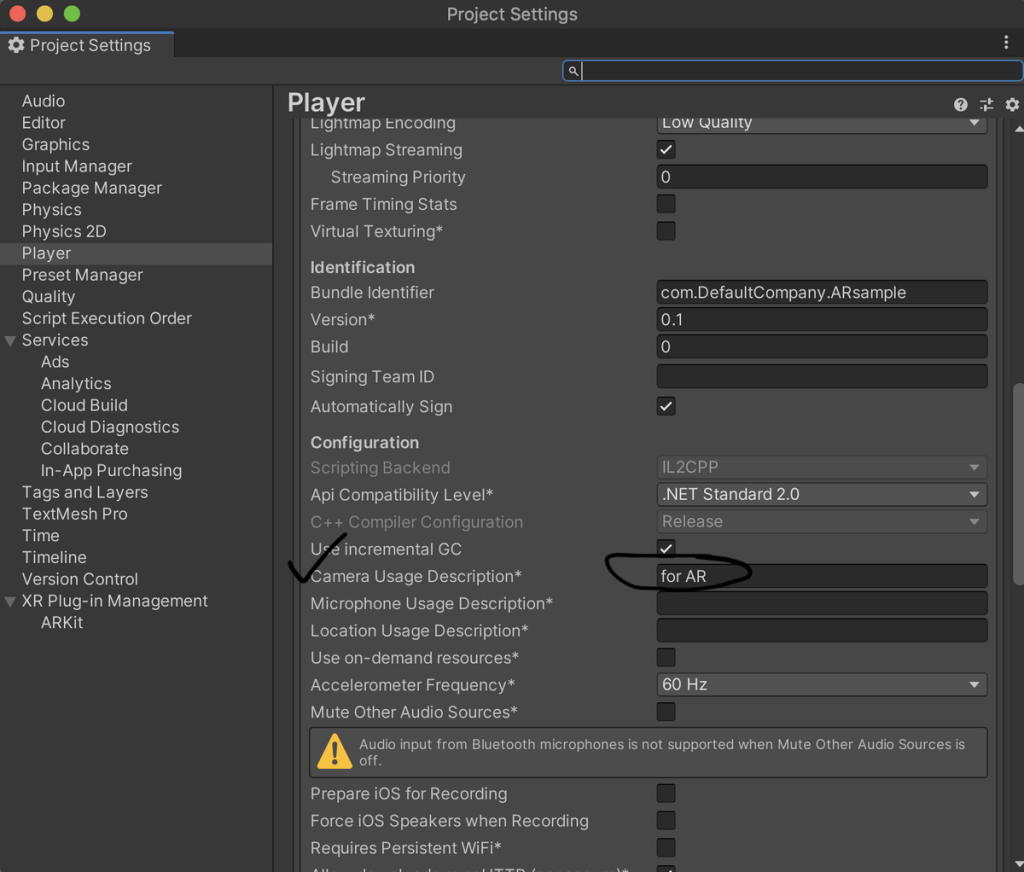
Finally, I tried Build and Run again, Xcode opened and it said Build Success, but it didn’t start. It seems that some settings are required on the xcode side as well, really!?
In Signing & Capabilities, I had to check Automatically manage signing (After opening an free apple developer account from https://developer.apple.com/)
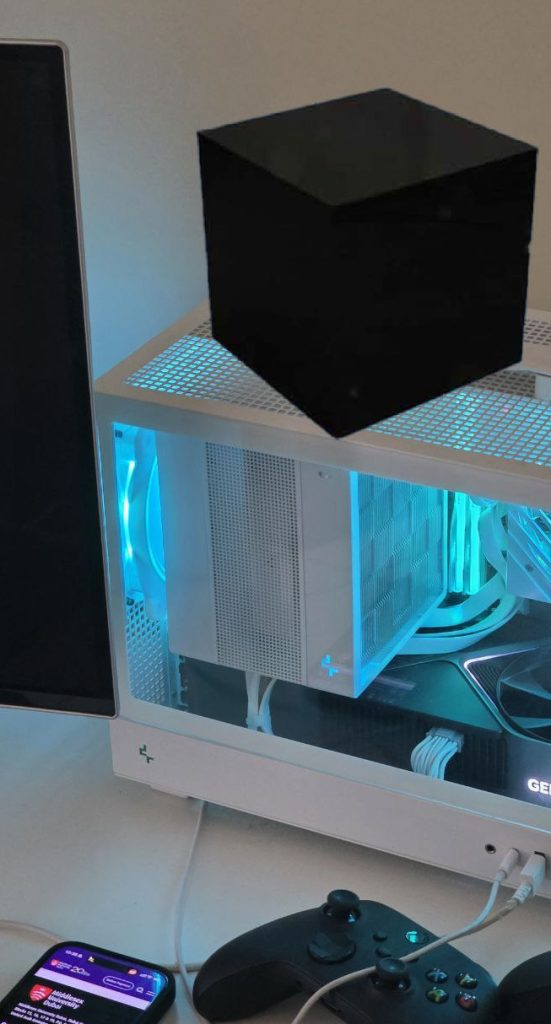
Now finally build were successful and the app was opened in iPhone:
Cube On My PC
Cube On My Laptop From Different Angles
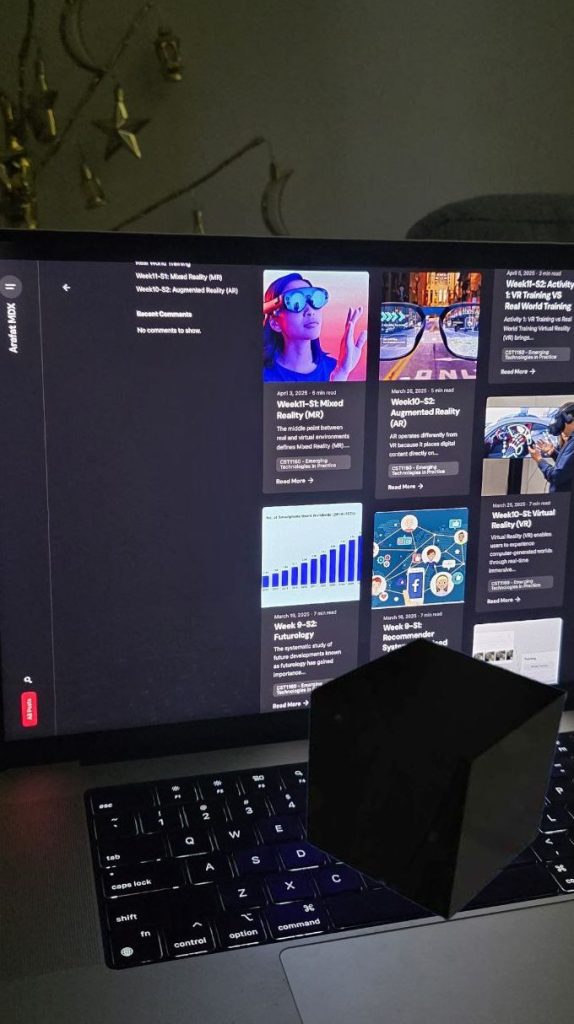

The camera frame was bit weird and was very zoomed/cropped in compared to original camera app! I crossed checked and looks like it is using Ultra wide lense and cropped + zoomed in from both side. Adding code logics will be next step to fix these issues. But it worked after all the struggles and challenges,
Conclusion (Week12-S2)
In conclusion, my first AR Foundation demo was successfully built and tested. Although I encountered several issues with iOS during compilation, a bit of online research ultimately helped me complete my project!
Conclusion – CST1160 Emerging Technologies
In this era of emerging technology, I consider myself one of the luckiest people to have learned and experimented with things I never imagined before. From week 1 to week 6, I learned robotics using an Arduino kit. And from week 7 to week 12 , I explored audio, video, various media formats, artificial intelligence, VR, AR, MR, and much more. I am grateful to Middlesex University Dubai for enabling us to learn about important emerging technologies that will shape the future.
Thank you very much! This line concludes my blog posts for CST1160 – Emerging Technologies in Practice.


