
Virtual Reality (VR) enables users to experience computer-generated worlds through real-time immersive environments that replicate environments for exploration and interaction. The virtual reality experience places users directly inside the virtual environment instead of watching videos or playing standard video games on screens. The experience of wearing a VR headset creates a sensation that transports you into a separate reality. The sensation of physically being present in virtual space is called “presence” which people describe through the phrase “the illusion of being there”. A high-quality VR experience creates such realistic conditions that users will naturally behave and feel as though they are physically present in the virtual environment. Users will naturally react to virtual objects in flight by dodging them when playing VR games and they will experience dizziness when looking down from virtual heights. Strong presence stands as the essential objective for VR systems to achieve while tracking delays and accidental real room visibility represent breaks in presence.

How VR Works and Immersive Environments
The real-time computer simulation of a 3D environment in VR operates through continuous updates that reflect user movement. VR systems achieve immersion through sensory stimulation which focuses on vision and sound while also incorporating touch feedback and occasionally smell perception. Users place head-mounted display (HMD) devices above their eyes for access. The stereoscopic images displayed in the HMD create 3D visuals by presenting different views to each eye while the device tracks head movements to update virtual world perspectives during head turns. The essential nature of visual and motion coupling exists in VR because turning your head to the left in this environment results in a scene transition that mimics real-life movements thus preserving spatial perception. The Oculus Rift and Quest together with HTC Vive represent high-end VR HMDs which integrate built-in headphones or spatial audio systems to produce sound effects that correspond to visual directions.
Tracking System
The tracking system of VR systems monitors user body movements to create corresponding actions within the virtual space. The tracking of full-body movements depends on either optical marker-based camera systems or portable inertial suits equipped with accelerometers and gyroscopes although head tracking in HMDs or CAVEs remains the primary method. Handheld controllers use hand movement tracking for user interactions and experimental brain-computer interfaces enable users to control VR through brain signal processing. The combination of visual, audio, tracking and input elements produces an immersive experience which creates such realistic simulations that virtual ledges can actually make people fear falling.
Common VR Systems and Setups
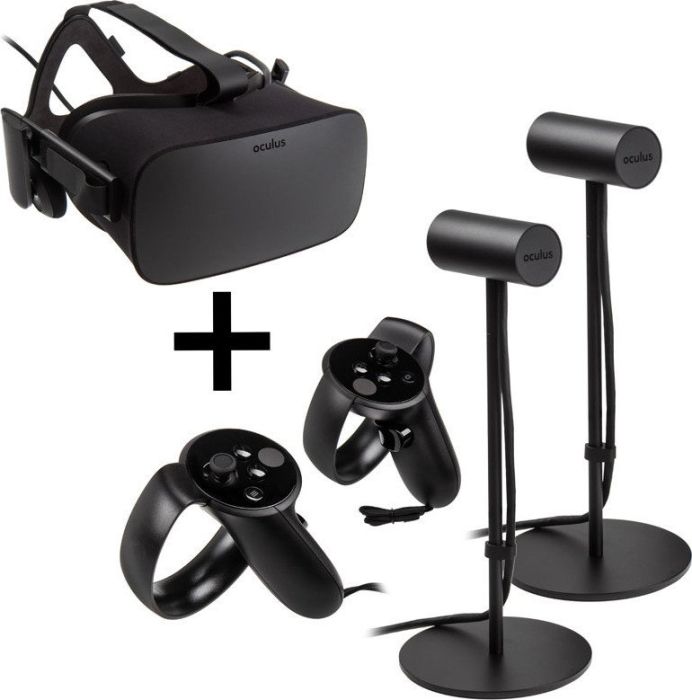
Head-Mounted Displays (HMDs)
Wearable goggles/helmets showing 3D virtual environments.
Examples: Meta Quest, HTC Vive.
Features: built-in screens, stereo sound, sensors (gyroscope, accelerometer), some with external/base station tracking.
Types: tethered to PC/console or standalone.
Highly immersive – blocks out the real world.
CAVE Systems
Room-sized VR with wall projections.
Users wear 3D shutter glasses and tracking devices.
Allows physical movement within a virtual scene.
Ideal for collaborative use but expensive and space-heavy.
Motion Tracking & Controllers
Not standalone systems but key components.
Track body movement for realistic avatars.
VR controllers (e.g., Oculus Touch, Valve Index) allow interaction.
Newer systems use inside-out tracking and hand-tracking for more freedom.
Other Devices
Haptic gear (gloves, vests): simulates touch/impact.
VR treadmills/motion platforms: enable walking/movement in VR.
Real World VR Applications
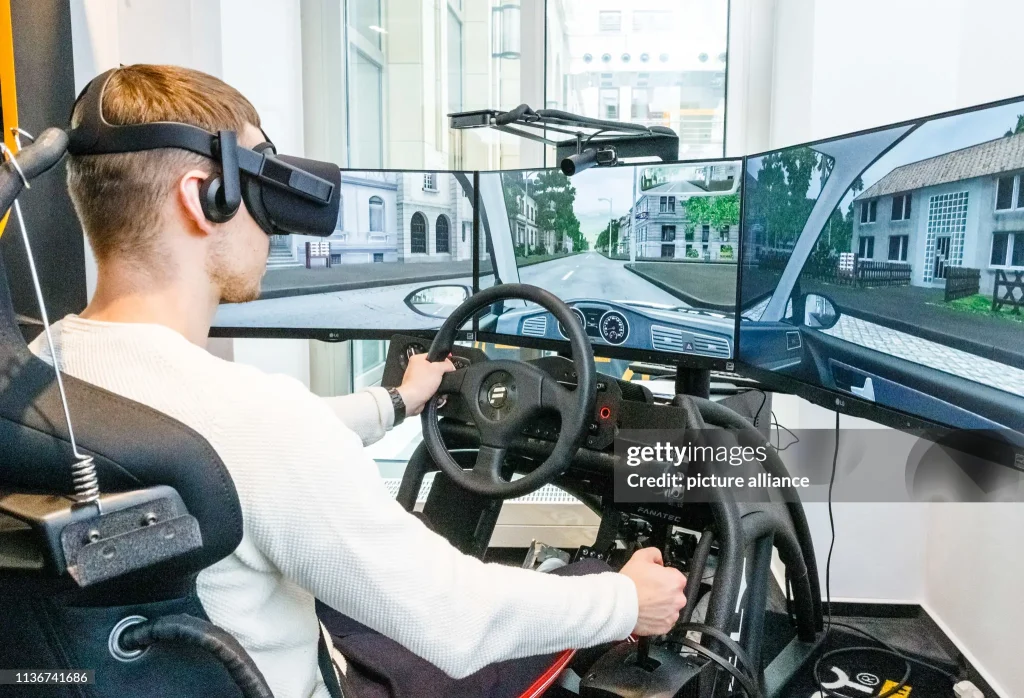
Education and Training
Military & emergency services: Simulated combat, firefighting, rescue scenarios.
Aviation: Flight simulators for pilot training.
Corporate training: Equipment use, medical procedures, customer service.
Classroom learning: Virtual field trips, biology/space exploration, historical tours.
- Healthcare and Therapy
Entertainment and Media
Gaming: Highly immersive experiences (e.g., Beat Saber, horror games).
Experiences: Virtual rides, 360° movies, concerts, sports events.
Social VR: Hang out as avatars – early form of the “metaverse.”
Design, Engineering, and Business
Architecture & design: Walkthroughs of buildings, product prototypes.
Automotive: Simulate vehicle interiors for testing/feedback.
Virtual collaboration: Meetings and 3D model reviews in shared VR space.
Data visualization: Exploring complex data in immersive 3D.
Other Applications
Journalism: Immersive storytelling (e.g., refugee camps, war zones).
Urban planning: Visualizing city redesigns.
Retail & fashion: Virtual showrooms, try-on experiences.
Conclusion
The technology of virtual reality comes with various obstacles that we will examine in detail during a future activity. The current VR systems face various restrictions because display resolution and field of view need improvement to reach reality standards and motion sickness occurs when visual inputs do not track user movements accurately and the equipment remains expensive and cumbersome. The rapid advancements in technology are solving numerous problems that affect VR systems (each new VR headset generation becomes lighter and provides better image quality while motion sickness reduction techniques continue to advance). The intense feeling of presence in VR creates new opportunities that people are currently exploring. The transformative power of VR technology enables doctors and pilots to train better while gamers find entertainment and ordinary people access extraordinary places through this digital content interaction.
The technology also established fundamental elements for augmented and mixed reality systems which we will explore in the next session (Week10-S2).
References
- Day, N. (2020, October 19). VR Training: Pros and Cons. Roundtable Learning. https://roundtablelearning.com/virtual-reality-training-pros-and-cons/
- Dr. Sameer Kishore. (2025). CST1160 – Emerging Technologies in Practice – Week10/11/12. (Slide data from VR2.pdf)
- Tremosa, L. (2025). Beyond AR vs. VR: Differences between AR, MR, VR, XR. Interaction Design Foundation. https://www.interaction-design.org/literature/article/beyond-ar-vs-vr-what-is-the-difference-between-ar-vs-mr-vs-vr-vs-xr
Marr, B. (2021, July 13). The 10+ Best Real-World Examples of Augmented Reality. Bernard Marr. https://bernardmarr.com/the-10-best-real-world-examples-of-augmented-reality/
Program-Ace. (2024, April 23). 4 Key Types of AR: Explaining Each Type with Examples | Program-Ace. https://program-ace.com/blog/types-of-ar/


